


When you want to convert hundreds of documents and image files online, you will need a reliable file converter that has all the necessary features and qualities to ensure that you get a quick and trouble-free conversion. In most cases, when users try to convert images on unreliable conversion websites, they end up losing out on the original quality besides wasting their valuable time as well. This leaves the users unhappy and dissatisfied. In this article, we are going to look at onlineconvertfree.com as an option for all kinds of online document and image conversion including the key features and competitors.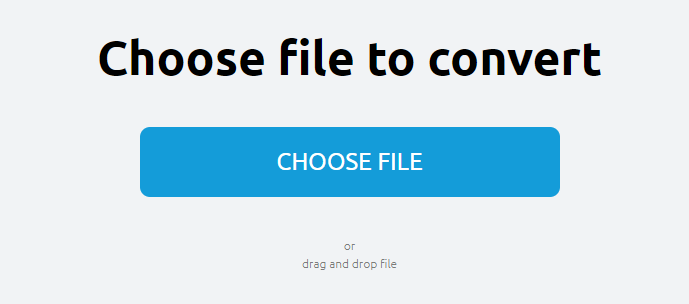
About onlineconvertfree
This conversion website offers its users exceptional features that enable them to convert different files into their format of choice. For instance, you can freely convert from JPG to PNG and vice versa or PNG to ICO, PDF to PNG, TIFF to PDF and so on. This online file converter provides its users with a complete and comprehensive list of conversion options hence they do not have to search other websites to complete all their conversions. The file conversion process is extremely fast and agile compared to other websites often taking only a few minutes. You can easily convert image files to and from any kind of format including GIFs and BMP, PNG and JPEG.
Key Features
This file conversion website has a simple and intuitive user interface that allows one to add files by simply selecting and dragging them from the computer onto the website. The user can then easily and conveniently select their desired output format followed by a simple click on the “Convert File” button to get a high-quality and loss-less conversion. This simplicity is perhaps what has attracted most users to the website especially those who have tried out other file conversion websites only to end up disappointed. Users can also access a functionality for document conversion with PDF and HTML converters.
Competitors
There are several other fierce competitors to onlineconvertfree offering free online file conversion services on the spot. These include the following:
1. Convert.Files
This is a simple option offering its users several input and output formats with an option to review all the supported formats for those looking for rare file types. To get started, you only need to browse for the file or simply enter its URL and then select your desired formats from the different categories that include image, video, document, drawing, audio etc.
2. Online-Convert
This platform allows you to convert a variety of file formats but you will need to check for supported file formats first before proceeding with your conversion.
3. Zamzar
This file converter supports more than 1,200 file formats with an option for images, documents, preset video options, compressed, eBook and video.
4. FileZigZag
This email-based file converter supports archive, video, image, audio and document file formats. Users simply upload their file, select a desired output format before entering their email address to convert. Once they receive an email they will then follow a link to obtain their converted file.
5. Convertio
You can quickly convert files from a URL, computer, Google Drive or Dropbox through this platform. The good thing about Convertio is that it lets you convert multiple files all at once by simply selecting the add more files option.
Concluding Remarks:
Converting files is now easier more than ever before as you will no longer be required to purchase or download special software to complete your file conversions.